Skip to content

OXO for SaaS

One product.
Different reasons to care.

The user, the evaluator and the budget owner don’t need the same introduction. Connect account research to a message that belongs to the person reading it.

Find the right opening

Account research → Buyer context

Start with the task, not the feature list.

Understand the workflow they handle and the friction your product addresses.

Useful context

The buyer’s responsibilities and stated workflow

Opening questionFor your team to review
How does your team handle this part of the workflow today?

Use the reply to understand the current process before proposing a change.

Prepare relevant messages

A segment you can act on

Fit comes before
list size.

A focused use case gives company selection and buyer research a shared starting point.

Write down who the product serves, which workflow it changes and what would make an account unsuitable. Use company and people research to review the segment, then check the available contact details before preparing messages. Keep the campaign’s audience and product claims aligned as you refine the brief.

Company

The industry, size and geography your product serves.

Use case

A specific workflow your product is equipped to address.

People

The roles that use, evaluate or own that workflow.

Readiness

The contact details and message context you can actually use.

Explore company and people research

The evaluation continues in the reply

A question is not
the same as a meeting request.

“Does it work with our setup?”

Clarify the requirement.

Find out what the buyer needs to confirm. Bring the source campaign and product context into the response. Clarify the systems, permissions or operating conditions that matter, then confirm the relevant capability with your team. Avoid answering a specific requirement with a generic feature list.
“Can we see it?”

Give the next person the context.

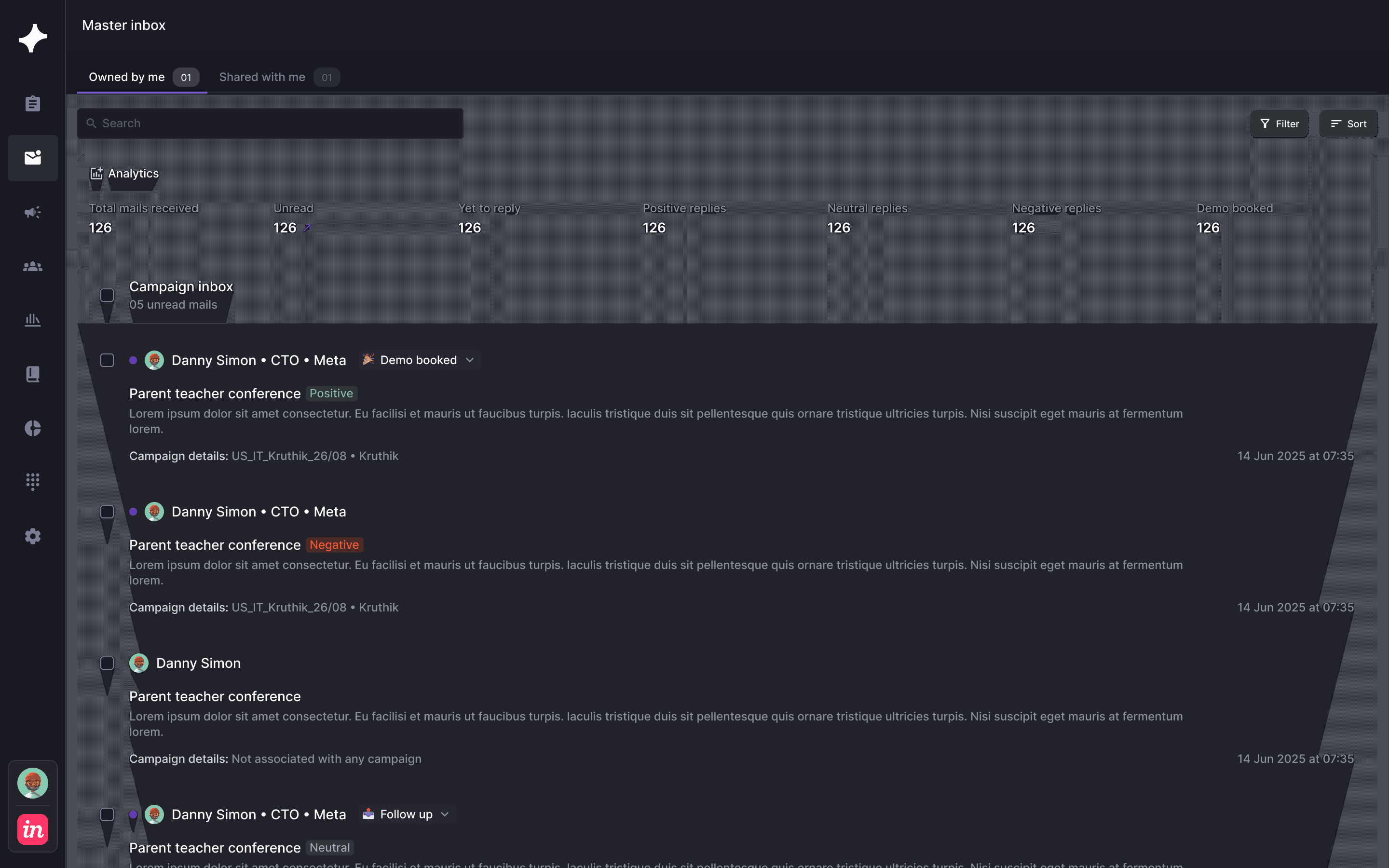
Keep the use case, buyer role and earlier message close to the seller continuing the evaluation. Agree who takes the next conversation and what the buyer wants to see. The person receiving the handoff should not need to reconstruct the introduction from an isolated reply.

See Master Inbox
OXO / Campaign replies in OXO
OXO Master Inbox showing campaign responses and conversation context
Campaign replies in OXO
OXO Master Inbox showing campaign responses and conversation context

Before the first SaaS campaign

How can SaaS teams use OXO?

SaaS teams can connect account selection, contact research, contextual messages, multichannel sequences and response handling.

Can we prepare outreach for several buyers at one company?

The company and people workflows help you review relevant roles and prepare contact-specific outreach. Your team decides which stakeholders to include.

How should we use signals in SaaS outreach?

Use relevant account context to shape the message, then review the supporting evidence. Confirm any product-usage integration or specific signal source with the OXO team during setup.

How should we define a SaaS outbound segment?

Start with a product use case and the types of companies it serves. Review industry, company size and geography, then identify the people who use, evaluate or own the relevant workflow. Keep exclusions explicit. A company that matches a broad market description may still be a poor fit for a particular use case, so review the actual account context before preparing outreach.

How do we personalize without overloading the message?

Choose the context that explains why this person should care about the introduction. A user may want to discuss the task; an evaluator may need to confirm requirements; an owner may need to establish priority. Use supported personalization inputs to prepare the draft, then review the accuracy of the context and the product claims. More available information does not automatically make a better opening.

What should travel with an evaluation handoff?

Keep the original campaign, buyer role, use case and the actual question available to the seller continuing the conversation. Distinguish a product requirement from a request for a meeting or a timing objection. Master Inbox keeps replies and campaign context together; your team decides who responds and which requirements need confirmation before an evaluation moves forward.

A better introduction
starts with the buyer.

Bring your use case and target accounts. We’ll walk through the research, message and response workflow.