OXO / CRM INTEGRATION
CRM sync.
Keep the whole story.
The person, the company, the reason you reached out. Connect your outbound work to the sales record so the next seller can pick up the conversation.
One record model. Agreed field ownership.
CONTACTS + COMPANIES + CONTEXT
A contact export
leaves too much behind.
The receiving seller needs to know who the buyer is, which account they belong to and what has already been said. Start with the OXO person record, then agree what belongs in your CRM.
See where the reply starts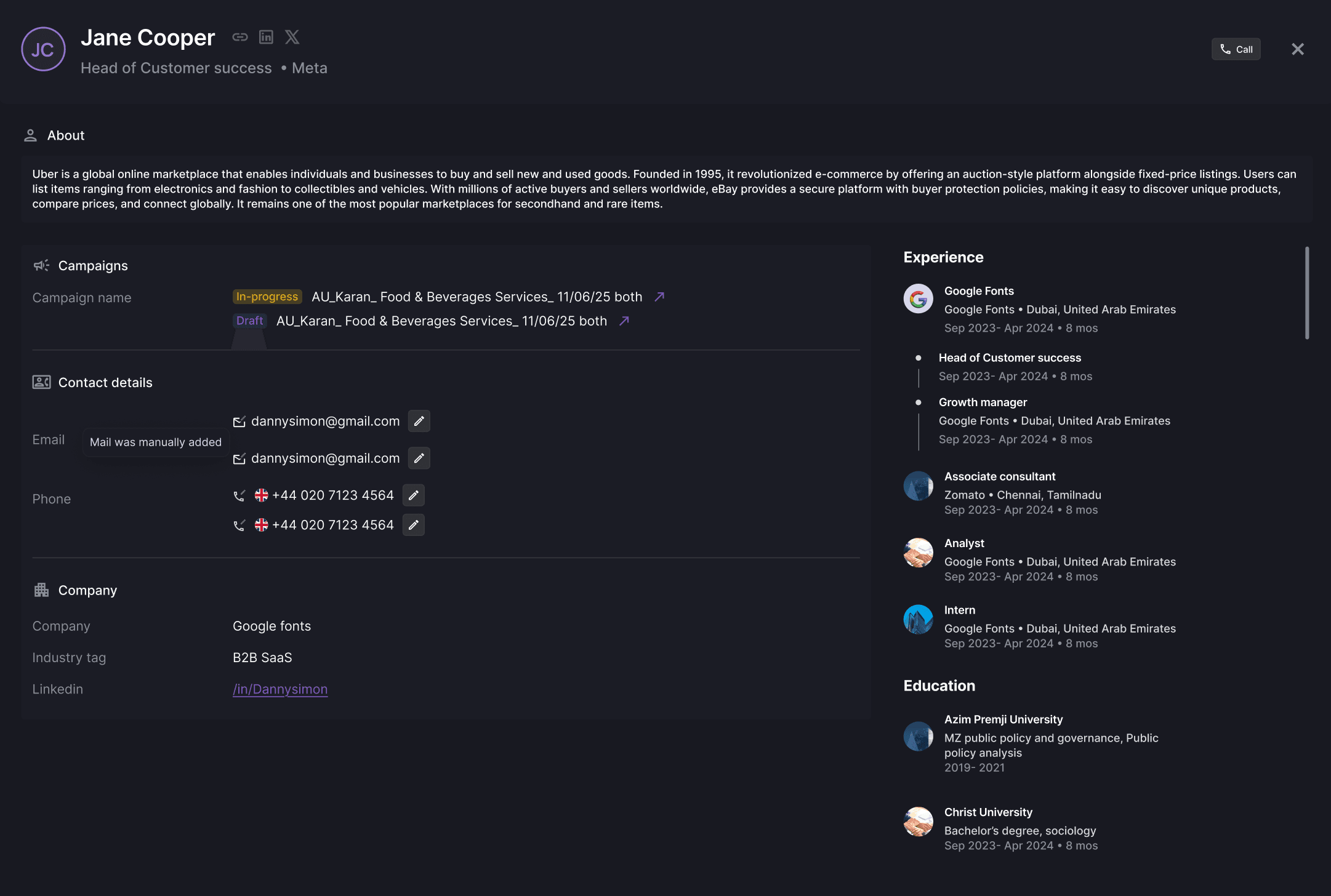
THE MAPPING, FIELD BY FIELD
Decide what changes.
Protect what already works.
Different values need different rules. Keep the CRM-owned job title, fill a missing campaign field or use a reviewed source value. Try the worksheet to see how those choices affect the receiving record.
| Field | From OXO | In your CRM | Proposed rule | Result |
|---|---|---|---|---|
| Job title | Revenue leadership | Head of Sales | Head of Sales | |
| Work email | Missing | Existing CRM email | Existing CRM email | |
| Campaign | Revenue team introduction | No campaign recorded | Revenue team introduction |
This worksheet changes the proposed rules on this page. Your CRM connection and supported mappings are configured during setup.
BRING THIS TO THE CONNECTION REVIEW
Start with your CRM.
Then test one handoff.
A good integration respects the way your sales team already works. Confirm the supported connection and validate a small record set before extending it.
- 01
Your record model
Which CRM, contact and company objects, required fields and relationship keys does the receiving team use?
- 02
Your update rules
Which system owns each value? What happens to missing data, different values and an uncertain match?
- 03
Your handoff trigger
When should a prospect reach sales? Which campaign context, next step and receiving owner must arrive with it?
- 04
Your acceptance check
Test a new record, an existing record, a missing field and a conflicting match. Inspect the result in the CRM with the receiving seller.
BEFORE THE CONNECTION
CRM sync, explained.
What is CRM sync for outbound sales?
CRM sync connects the prospect and outreach information used by your outbound team with the records used by sales. The useful scope is specific: contacts, companies, agreed campaign context, field ownership and the point at which a seller receives the conversation.
Which CRMs does OXO connect to?
Confirm your CRM, supported objects and available operations with OXO before choosing the integration. Bring your required fields and current record model so the connection can be evaluated against your actual setup.
How do we avoid duplicate contact records?
Agree the matching keys before activation. Test an existing contact, a new contact and an ambiguous match. Your CRM configuration and the supported integration determine how each case is handled.
Can an empty source field overwrite our CRM data?
Make the missing-value rule explicit in your mapping requirements. A blank source should not silently replace a useful CRM value. Test that behavior in the configured integration before expanding the rollout.
What should the sales handoff contain?
Include the person, company, campaign, relevant message or reply, next action and receiving owner. Only map the fields and activity types supported by your chosen connection.