THE OXO PRODUCTS
B2B sales outreach.
From first search
to next conversation.
Find the audience. Prepare the approach. Work the replies. Explore the OXO products that bring those jobs together.
01 / FIND YOUR AUDIENCE
Start with the right accounts.
Research the company, identify the buyer and fill the contact gaps before you plan the first touch.

Prospecting
Find companies and people around the market you want to reach.
Explore prospectingContact database
Review account, role and contact information in one place.
Explore contact databaseWaterfall enrichment
Work through missing prospect details before outreach.
Explore waterfall enrichmentBuying signals
Investigate the account change behind a timely introduction.
Explore buying signals02 / START THE CONVERSATION
Give every channel a purpose.
Write the introduction, plan the follow-up and call with the account context within reach. Keep the approach coherent across the sequence.

Email outreach
Prepare messages from account context, with writing and review controls.
Explore email outreachLinkedIn outreach
Plan introductions and follow-ups alongside your other channels.
Explore linkedin outreachLinkedIn engagement
Review supported interactions before choosing a relevant follow-up.
Explore linkedin engagementSales dialer
Prepare, place and review calls in the outbound workspace.
Explore sales dialerMultichannel outreach
Connect email, LinkedIn and calls in the same campaign plan.
Explore multichannel outreach03 / RUN THE CAMPAIGN
Keep the work connected.
Review campaign readiness, handle the response and carry the useful context into your next decision or sales handoff.
Campaigns
Keep audiences, sequences and approval state together.
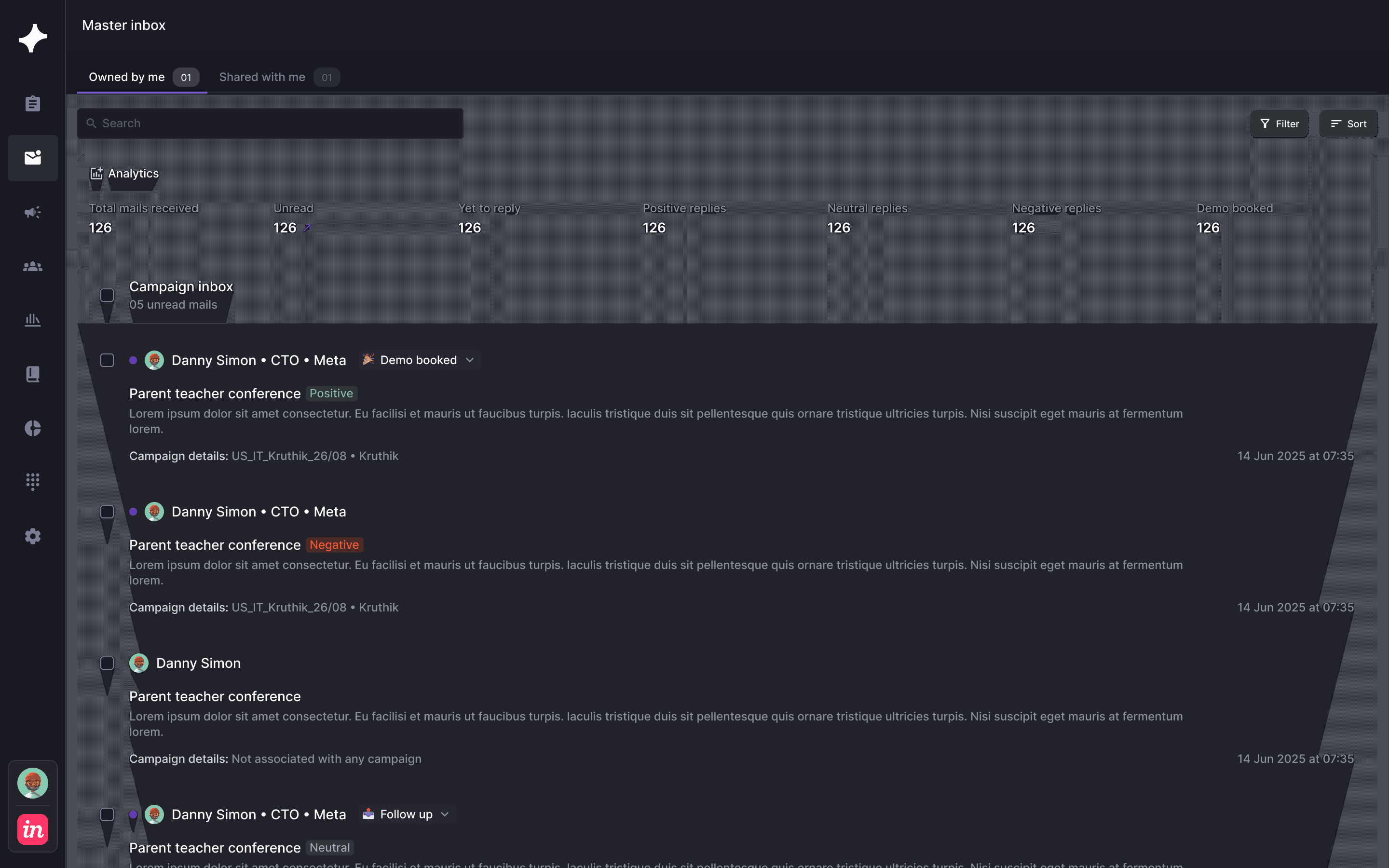
Explore campaignsMaster inbox
Read the reply with its campaign and decide the next action.
Explore master inboxInbox creation
Prepare mailboxes, sender requirements and sending conditions.
Explore inbox creationAnalytics
Review campaign status, approval work and the buyer’s response.
Explore analyticsCRM sync
Connect the person, company and campaign to the receiving record.
Explore crm syncMCP connector
Use a compatible assistant for supported OXO operations.
Explore mcp connectorFINDING YOUR STARTING POINT
Choosing your OXO products.
What is OXO?
OXO is B2B sales outreach software that connects prospecting, contact enrichment, email, LinkedIn, calling, campaigns and reply handling. Explore individual products around the work your team needs to do.
Can we begin with one part of the product?
Start the discussion with your immediate need, such as prospecting, email outreach or calling. Confirm the workflows, channels and setup included in your plan before expanding the scope.
Can email, LinkedIn and calls share a sequence?
The OXO sequence builder brings these channels into one plan with channel order, waiting periods and writing controls. Confirm the supported actions and resources for your setup.
Can messages require approval?
Yes. Mail approval can be enabled in sequence setup, and the campaign approval view shows message work awaiting review.
How does OXO work with our CRM and assistant?
Review the CRM sync and MCP connector products with your existing tools in mind. Confirm the available connection, authentication, objects and supported operations for your account.