OXO for revenue operations
Make the handoffs
visible.
Audience, message approval, response ownership. Bring the working states of outbound into a process your team can inspect.
Message reviewer
Is the draft ready to represent your team?
Review the personalization inputs, writing instructions and claims. Enable mail approval during sequence setup when messages need a human decision. Agree who reviews the generated draft and what would send it back for revision: an unsupported claim, an inaccurate research input or an unclear next step.
Check mail approval and writing controlsThe state behind the activity
“In progress”
isn’t specific enough.
Review the actual state of the campaign or channel before deciding what needs attention.
Agree who checks pending work, who can resolve the issue and when the team reviews it again. Activity alone does not explain whether a campaign is ready or a conversation is being followed up.
Is the audience and sequence ready for review?
Which messages are still being prepared?
Who needs to review the pending work?
Are incoming responses being handled?
What needs to change before continuing?
Inside OXO
Inspect the work.
Then make the decision.
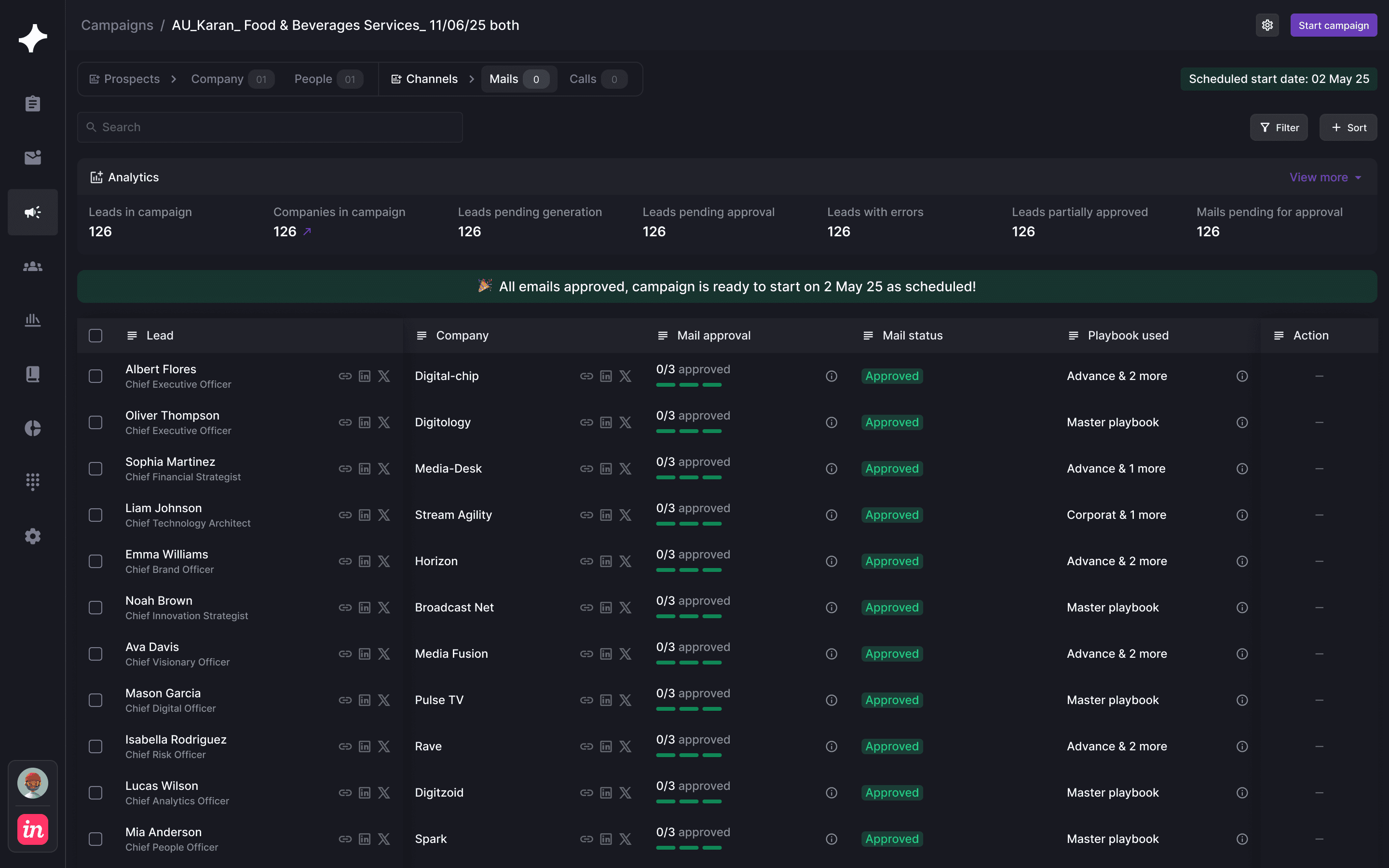
Original product view · Use the review stages above to inspect another part of the workflow.
Before connecting the CRM
Agree what moves,
and who owns it.
Field mappings, update ownership and exception handling belong in the setup conversation. Confirm the supported CRM and integration scope for your workflow.
A missing value should have an agreed policy. Decide whether an existing CRM value should be preserved, when a new value is appropriate and who handles a conflict. Review contact matching and account ownership with the people maintaining the receiving system before extending the rollout.
- Record
- Which company, person or activity?
- Field
- What value should be written?
- Owner
- Who resolves missing or conflicting data?
RevOps questions.
What can RevOps inspect in OXO?
The supplied product views show campaign and channel states, lead-level mail approval, personalization settings, and response states in Master Inbox.
Can messages require approval?
Yes. Mail approval is a sequence setting, and approval progress is visible in the campaign view.
How should CRM integration be evaluated?
Confirm the supported CRM, field mappings, update ownership and exception process during setup so outbound activity reaches the sales system in the form your team needs.
Who should own each stage of the outbound process?
Name the people responsible for audience quality, message review and response handling before launch. These may be different people, or one person in a smaller team. Agree what they need to inspect, which decisions they can make and who resolves an exception. The review board on this page is a planning aid; actual workspace permissions and integration scope should be confirmed during setup.
What should an operating review look at?
Start with campaign and channel states, then inspect the work behind them. A generating message, pending approval and paused campaign call for different decisions. Review incoming responses separately so that an active campaign does not hide unanswered conversations. Use the campaign context to identify the responsible person and record the next action in your team’s agreed process.
What should we agree before a CRM rollout?
Confirm the supported CRM, the records and fields involved, and which system owns each update. Decide how to handle missing values, conflicts and a buyer who already exists in the CRM. Test the agreed mapping with a small set of records before extending the workflow. Specific sync behavior depends on the integration and setup agreed with the OXO team.