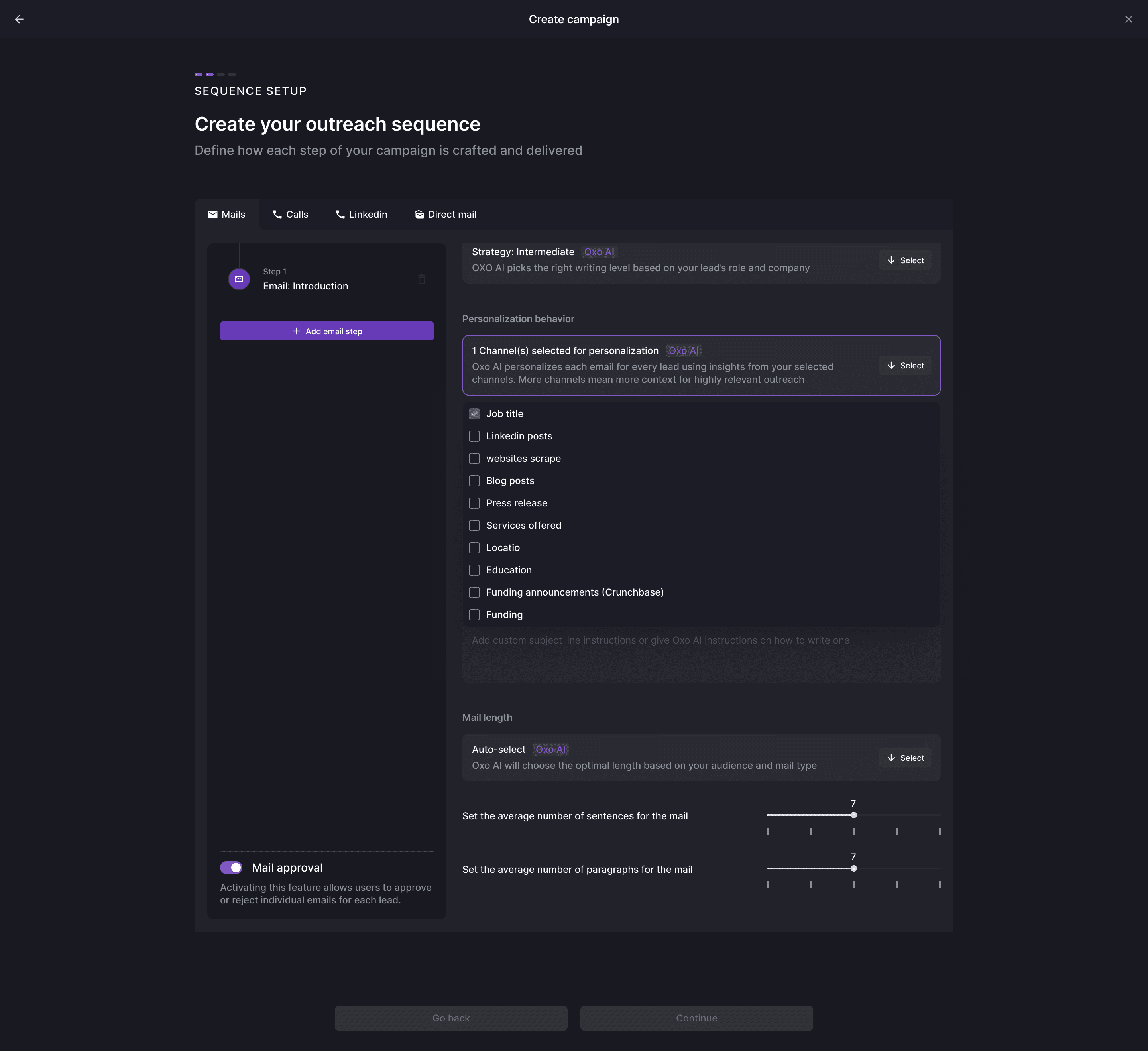
Message approval
Choose where human review belongs before launch.
For enterprise sales teams
Give teams a common workflow for account selection, outreach, message approval and reply handling. Evaluate OXO against your markets, ownership model and integration requirements.
Rollout responsibilities
A clearer starting point for the campaign
Rollout responsibilities
A larger team needs a process people can inspect. Begin with one audience and a named owner at each handoff, then review the operating work before expanding.
Decisions for your team
Validate integration scope, access requirements and message review with your own team. A pilot should answer how the workflow fits your process, not just whether a sequence can send.
0 of 3 planning decisions reviewed
Choose where human review belongs before launch.
Confirm roles, permissions and security needs for your deployment.
Agree supported systems, field ownership and handoff responsibilities.
A shared team process
As outbound expands across markets and sellers, audience decisions, message review and response ownership need to stay explicit. OXO brings the underlying work into connected prospect, campaign and inbox views.
Choose one market and the teams involved in its outbound process.
Define audience, content approval and response ownership.
Confirm access, integrations and operating requirements.
Use the pilot's working process to inform the wider rollout.
Inside OXO
Account selection
Start with the companies and people that fit the regional offer. Review geography, company size, industry and available contact information before preparing the campaign.

Campaign review
Sequence setup exposes writing choices, message inputs and mail approval. Campaign views show the status of the resulting work at lead level.

Team visibility
Operators can review campaign states and shared conversations. Agree how regional sellers pick up the response and how records reach the sales system.

Start with a specific outbound workflow. Confirm audience selection, channels, approval process, access needs, integrations and response responsibilities with the OXO team.
Yes. The sequence workflow includes mail approval and the campaign view exposes approval status.
Review your required access model, security documentation, integrations and data requirements with the OXO team. Begin with a specific workflow and verify its configuration before expanding to more teams.
Choose a defined team, audience and channel plan. Review whether account preparation, message approval and reply handling work with the organization’s existing responsibilities. Test the agreed CRM handoff and identify exception owners. Use the findings to decide what needs adjustment before extending the workflow to more teams, markets or use cases. A wider rollout should follow an understood process.
Bring your current CRM, intended channels, access requirements, review responsibilities and data-handling expectations. Identify who needs to inspect or approve each stage. Confirm the supported scope in the evaluation, including integration mappings and setup work. Do not assume that a product screenshot establishes a particular certification, permission model or enterprise service commitment.
Keep exploring
Bring your markets, review process and integration requirements to an OXO walkthrough.