Campaign health
Review channel mix, audience and campaign status before comparing performance.
See which campaigns are running, what is waiting for review and how buyers are responding. OXO brings campaign status and reply context into the same review.
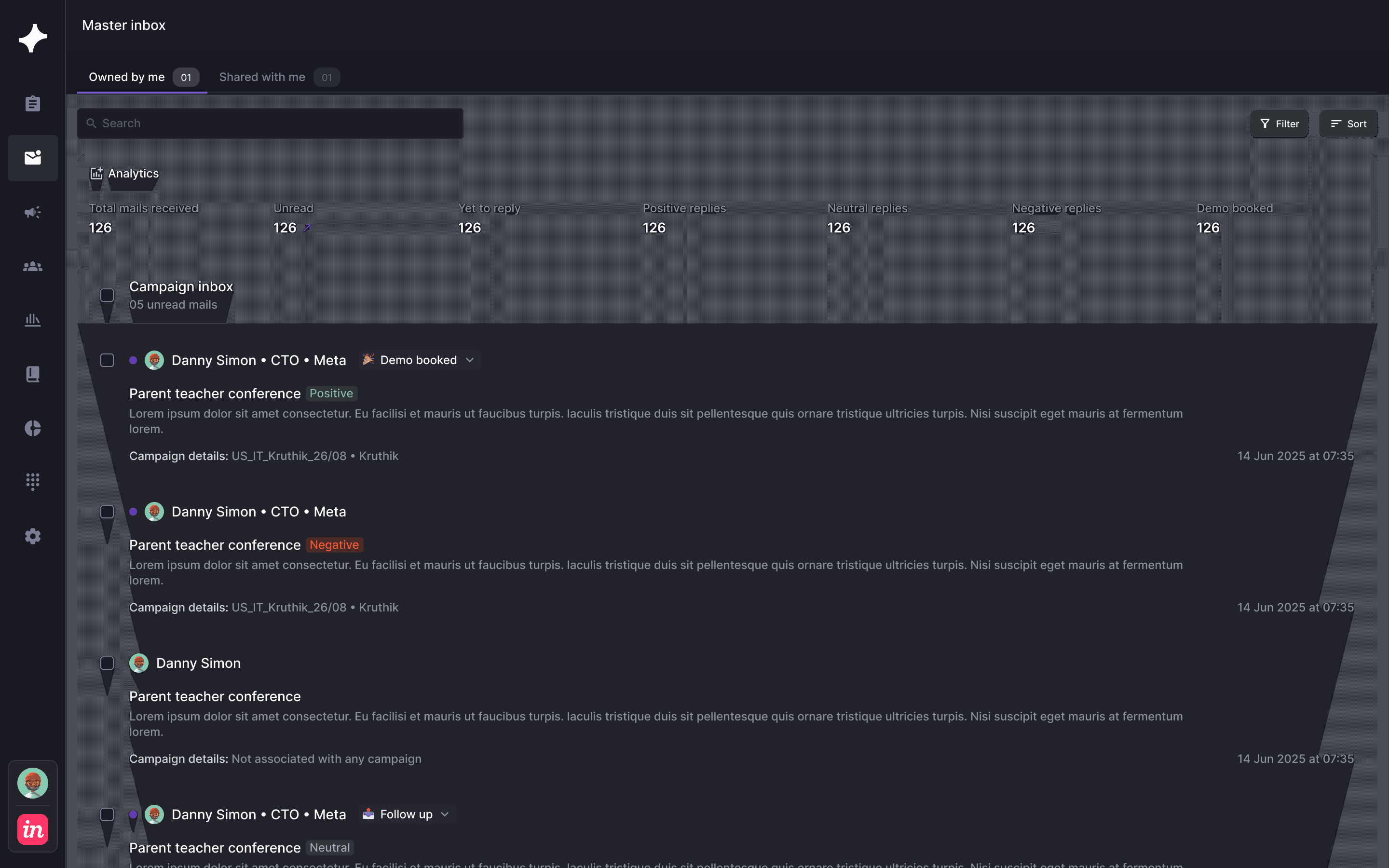
Review channel mix, audience and campaign status before comparing performance.
Find the messages waiting for review so a preparation delay is visible.
Read the actual response. A reply count tells you less than the conversation behind it.
THE NUMBERS NEED A DEFINITION
Compare unique people over the same period. Keep an interested response separate from any response, and keep a sales opportunity separate from a booked meeting.
Build a weekly campaign reviewA QUICK MEASUREMENT CHECK
Use your own campaign counts to compare replies and positive responses. This is a calculation tool; the OXO views above show the work you can inspect in the product.
Use unique contacts from the same campaign and time window. Enter counts to calculate your rates; zero contacted prospects has no defined rate.
FROM THE CAMPAIGN TABLE TO THE CONVERSATION

METRICS AND MEASUREMENT
Outbound sales analytics connects activity and responses to the audience and sequence that produced them. A useful review separates campaign readiness, contact and channel activity, buyer replies and the later sales outcomes recorded in your CRM.
Use the campaign portfolio to inspect channel and campaign states, the approval view to inspect pending message work, and Master Inbox to read reply summaries and the underlying conversations.
In the calculator on this page, reply rate is unique contacts who replied divided by unique prospects contacted, multiplied by 100. Count each person once and keep the campaign and observation window consistent. Other tools may use a different denominator.
No. A reply can be a question, an objection or a request to stop. Define positive replies separately, then use your sales qualification criteria and CRM to track accepted opportunities.
The campaign and reply views explain outbound work. Confirm available CRM fields and integration scope for your reporting requirements; do not treat campaign activity as proof of attributed revenue.